
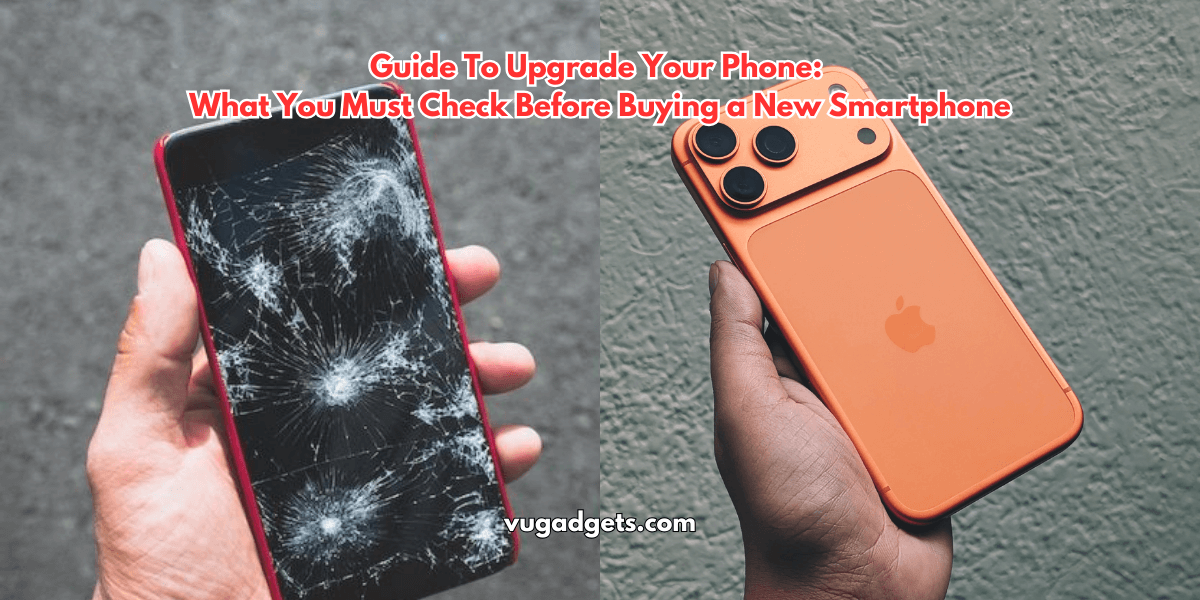
Many users upgarde their phones every year. They feel bored with the old device or get attracted to newly launche phones. This habit looks normal, but it affects your wallet and creates large e-waste. Most users do not need a new device every year.
Your daily tasks stay the same. You watch videos, scroll social apps, make calls, and play a few games. A new phone does not change your routine in a major way.
This guide helps you decide the right time to upgrade. You learn how long a phone lasts, signs your device needs a replacement, repair options, and common mistakes you should avoid.
Key Takeaways
• Use your smartphone for at least 3 years.
• Keep a flagship device for 4 to 5 years.
• Minor yearly upgrades do not give big changes.
• Upgrade only when performance, battery, or hardware fails.
• Do not fall for marketing terms like 200 MP cameras or 165 Hz displays.
• Repair the back panel, screen, or battery instead of replacing the entire phone when possible.
• Check security updates before deciding.
• Exchange offers help reduce cost during purchase.
Why You Should Not Upgrade Every Year
Brands release new phones every few months. They promote features like higher megapixels, faster refresh rates, and new chipsets. Most of these upgrades bring small changes that do not improve your real use.
Small Improvements, No Major Change
• A 165 Hz display feels the same as 120 Hz for most users.
• A 200 MP camera does not guarantee better photos.
• YouTube, Instagram, and daily apps work the same on a two-year-old device.
• New chipsets offer small speed gains that you rarely feel in everyday use.
Marketing Creates Pressure
Companies use heavy marketing. They show big numbers to make you feel your phone is outdated.
Example:
• 200 MP camera
• 3 nm chipset
• IP65 to IP68 rating
• AI camera modes
These features look impressive, but the real benefit is low for most users.
Ideal Smartphone Lifespan
1. Budget and Mid-Range Phones
Use these devices for at least 3 years.
Most get 2 to 3 years of software updates.
Performance stays stable for your basic needs.
2. Premium and Flagship Phones
Use them for 4 to 5 years.
Example:
Samsung S25 Ultra level phones receive up to 6 to 7 years of updates.
Flagship chipsets handle heavy apps for a longer period.
3. iPhones
iPhones usually receive 5 to 6 years of software support.
You get long performance stability and stronger resale value.
When You Should Upgrade Your Phone
Do not upgrade because of boredom.
Upgrade only when there is a real need.
Below are the most valid reasons.
1. Performance Issues
Upgrade when:
• Apps crash often.
• Phone hangs during basic tasks.
• Keyboard lags.
• Daily apps freeze.
• Multitasking fails.
Before upgrading, try these steps:
• Remove unused apps.
• Free internal storage.
• Clear cache.
• Reset the device.
If the phone is still slow, upgrade.
2. Battery Problems
This is the most common issue after 2 years.
Check battery health if your brand supports it.
Upgrade or repair when:
• Battery drains quickly.
• Phone shuts down at 20 to 30 percent.
• Phone heats during normal use.
Repair option:
Replace the battery with an original one.
This costs far less than a new phone.
3. No Software or Security Updates
If your phone stops receiving security patches, upgrade.
Security updates protect you from:
• Malware
• Hacking
• App crashes
• Banking risks
Most new phones promise 3 to 7 years of updates.
Older devices with no updates become unsafe.
4. Physical Damage
Upgrade when:
• Display does not respond.
• Touch stops working.
• Frame is bent.
• Camera module is damaged.
• Water enters inside.
Repair option:
• Back panel replacement
• Screen replacement
• Glass change
These repairs cost less than buying a new phone.
If the repair cost crosses 40 percent of phone price, upgrade.
5. Storage Full With No Fix
If storage stays full even after cleaning and backing up, you may need a higher-storage model.
Many users with 64 GB or 128 GB phones face this issue after a few years.
When You Should Not Upgrade
• When your phone is working fine.
• When battery life is still good.
• When you only want a new model because others have it.
• When the upgrade brings small improvements.
• When the change is only cosmetic.
• When the phone is less than two years old.
Repair vs Upgrade, What Makes Sense
Repair Makes Sense When
• Cracked back panel.
• Broken screen but touch works.
• Weak battery.
• Speaker or charging port issue.
Average repair cost in India:
• Back glass: ₹1,000 to ₹2,500
• Screen: ₹1,500 to ₹6,000 (non-flagship)
• Battery: ₹800 to ₹2,000
These repairs extend phone life by 1 to 2 years.
Upgrade Makes Sense When
• Repair cost is high.
• Major motherboard fault.
• Display and touch do not respond.
• No security updates.
• Phone is more than 4 years old.
Why Users Feel the Need to Upgrade
1. Boredom
People feel the phone is old even if it works well.
This is emotional, not technical.
2. Social Influence
Someone in the group buys a new phone.
Others feel they also need it.
3. Launch Hype
New models release every month with big promotions.
People think they will miss something important.
4. Fear of Missing Out
AI features, camera tricks, and design changes create FOMO.
The real use is small for most users.
What You Must Check Before Buying a New Phone
• Security update years.
• Software update promise.
• Battery health rating.
• Processor generation.
• Real camera performance.
• Build quality.
• Exchange offers.
• Price drops after 1 to 3 months.
• Offline and online price difference.
• Hands-on feel in a store.
Pros and Cons of Upgrading Your Phone
Pros
• Faster performance.
• Better battery life.
• Improved camera.
• Long software support.
• New features for work and content creation.
Cons
• High cost.
• Creates e-waste.
• Small real-world benefits.
• Short excitement period.
• Marketing influence leads to overspending.
Common Myths About Phone Upgrades
Myth 1: Higher Megapixels = Better Photos
Truth:
Sensor size, processing, and lens matter more than megapixels.
Myth 2: Higher Refresh Rate Changes Everything
Truth:
Most users cannot see the difference after 120 Hz.
Myth 3: Fast Charging is Always Good
Truth:
Fast charging reduces long-term battery life.
Myth 4: Old Phones Cannot Be Trusted
Truth:
If they still get updates, they are safe.
How to Increase Your Phone’s Life
• Use a strong case and tempered glass.
• Charge slowly when possible.
• Avoid full discharge daily.
• Keep storage below 85 percent.
• Restart once a week.
• Update software regularly.
• Use original cables and chargers.
These steps help your device last an extra year.
Best Time to Buy a New Phone
• Festival sales.
• Price drops after 30 to 90 days of launch.
• Exchange offers during Amazon or Flipkart events.
• Bank card discounts.
• Online exclusive deals.
Avoid buying on launch day.
Prices settle later, and reviews become clear.
FAQs
How many years should I use my smartphone?
Use your phone for at least 3 years.
Flagship models last 4 to 5 years.
Should I upgrade if my phone feels slow?
Clean storage and reset first.
If problems continue, upgrade.
Does fast charging damage the battery?
Fast charging reduces battery life over time.
Use normal charging when you have time.
Is it worth upgrading for a better camera?
Only if your old camera fails or your work needs professional photos.
Should I replace my phone if the screen cracks?
If touch works and repair cost is low, repair instead of upgrading.
What to do if my phone stops getting updates?
Upgrade to a model that promises long-term security patches.
Conclusion
A smartphone is a long-term device.
You do not need to upgrade every year.
Use your phone for at least three years, repair when possible, and upgrade only when the performance or security drops.
Avoid marketing hype and choose a phone that matches your real needs.
Smart buying saves money and reduces e-waste.
Also Read
-
OnePlus 13 Mini Leaks: A Game-Changer or Just Another Hype?

-
The Future of Sound: Best AI-Powered Portable Speakers You Must Have!

-
Nothing Phone 3a & 3a Pro Review: The Most Stylish Mid-Rangers of 2025?

-
Mac Mini M4 Gets Massive ₹8,750 Discount—Grab This Deal NOW!

-
SHOKZ Bone Conduction Headphones Comparison: OpenRun Pro 2 vs. OpenRun vs. OpenSwim Pro vs. OpenRun Pro

Affiliate Disclaimer:
This post includes affiliate links. If you make a purchase through these links, We may earn a small commission at no extra cost to you.


